How to Use Grok Bot or Rakazo to Manage Your Fantasy Football Team
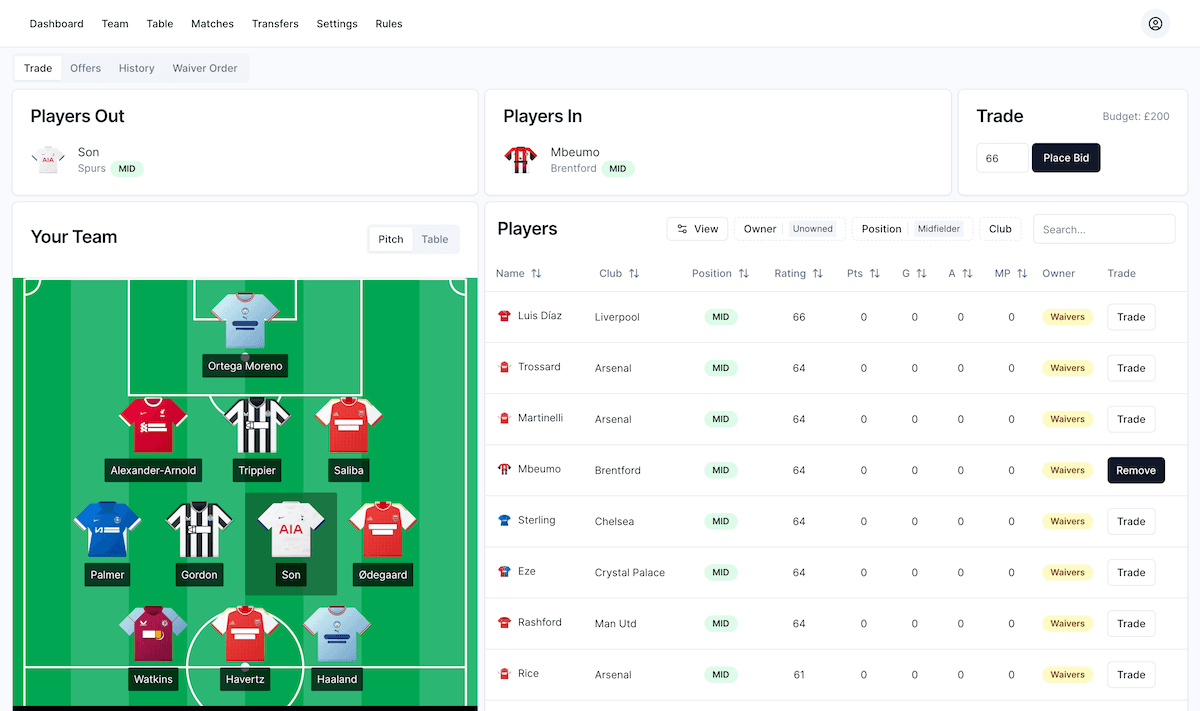
Grok Bot and Rakazo can take over most of the weekly work of running a fantasy football team. Give either one a routine that runs once a Gameweek, point it at your league, and it comes back with a short report: who in your squad is injured or rotated, which free agents are worth a claim, and what the best managers are saying about the week ahead. You make the final call in a few minutes instead of an hour.
I do this every week for my own Draft Fantasy Premier League team. I change my squad a lot, but I rarely have time to read every press conference, scan the waiver pool and check fixture runs. A scheduled assistant does that reading for me.
This guide shows how to set it up with Grok Bot, the AI personal assistant from SpaceX, or with Rakazo, the open source alternative to Grok Bot that we build. It works for Draft Fantasy leagues and for classic Fantasy Premier League (FPL) teams.
What Grok Bot or Rakazo can do for your team
A good weekly routine covers the jobs that eat your time, not the decisions that make fantasy fun:
- Injury and availability checks. Flag every player in your squad who is injured, suspended, doubtful or losing minutes, with the source.
- Free agent and waiver scouting. List the best unowned players in your league by position, with recent form and upcoming fixtures.
- Manager sentiment. Summarise what respected managers are saying on Reddit, X, YouTube and fantasy sites this week, and where they disagree.
- Fixture planning. Highlight who has an easy run over the next three to five Gameweeks.
- A short recommendation. One or two suggested moves, each with a reason, ready for you to accept or ignore.
The assistant never needs to be right about everything. It needs to save you the research so your judgment goes into the decision, not into finding the information.
Two ways the assistant reaches your team
There are two practical routes, and the best setups use both.
1. Use the Draft Fantasy API for data
Draft Fantasy publishes read-only league data that an assistant can fetch directly, with no login. Copy your league ID from the app address (app.draftfantasy.com/league/<league-id>) and give it to your assistant along with these endpoints:
| Data | Endpoint |
|---|---|
| Current Gameweek | https://api.draftfantasy.com/epl26/gameweeks |
| Teams in your league | https://api.draftfantasy.com/epl26/league/<league-id>/teams |
| Every player, owner and waiver status | https://api.draftfantasy.com/epl26/league/<league-id>/transfer-market |
| A player's injury history | https://api.draftfantasy.com/epl26/players/<player-id>/injuries |
| Fixture difficulty ratings | https://api.draftfantasy.com/epl26/fixture-difficulty |
In the transfer market response, players with no ownerTeamId are unowned, and playerWaiverStatus tells you whether a player is a free agent or still on waivers. That alone answers the most important weekly question: who can I actually get?
API data is fast, cheap and exact. It is the right source for availability, form and fixtures.
2. Use computer use to sign in and act
Some things only make sense inside your account: your current lineup, pending waiver claims, trade offers and league chat. This is where Rakazo stands out. Every Rakazo bot has its own computer with a real browser, so it can open Draft Fantasy, sign in and use the app the same way you do.
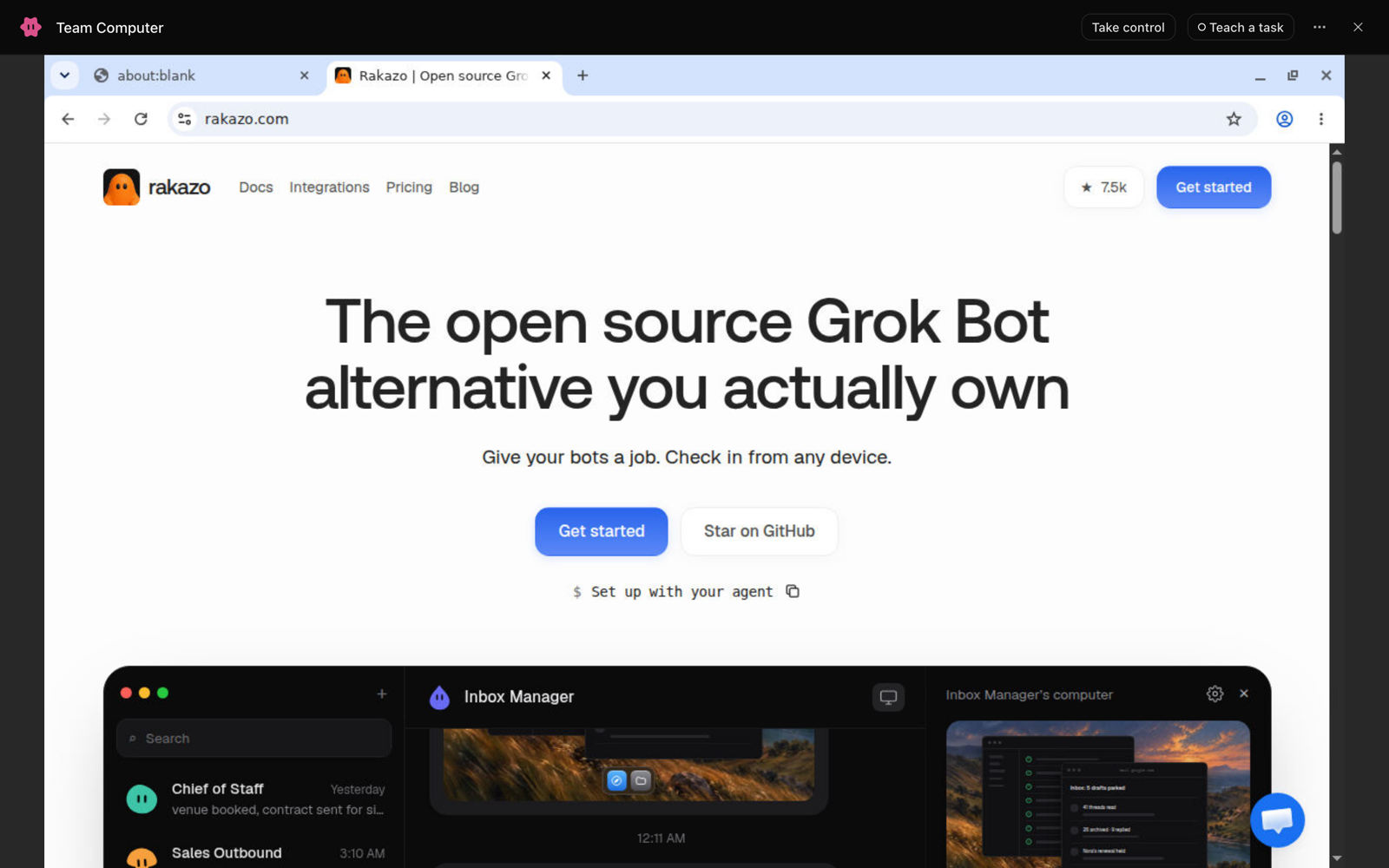
You stay in control of the sensitive part. Open the bot's computer, choose Take control, sign in to Draft Fantasy yourself, then hand it back. Your password never goes into the chat. If a site asks for a code sent to your phone, the bot pauses and asks you to step in.

From there, the bot can read your squad page, check the transfer market with your league's filters, and queue up a waiver claim or lineup change for you to confirm. I keep it on "suggest, don't submit" so nothing changes in my team without my approval.
Set up a weekly fantasy routine in Rakazo
Rakazo is an open source AI personal assistant. It is a self-hostable alternative to Grok Bot, with persistent bots that have their own memory, routines, apps and computer. You can use it on the web, desktop, iPhone and Android, bring any model with your own keys, or run the whole thing on your own server.
Routines are the feature that turns it into a fantasy assistant. A routine is an instruction the bot runs on its own, on a schedule you pick, and it reports every run back in the same chat.
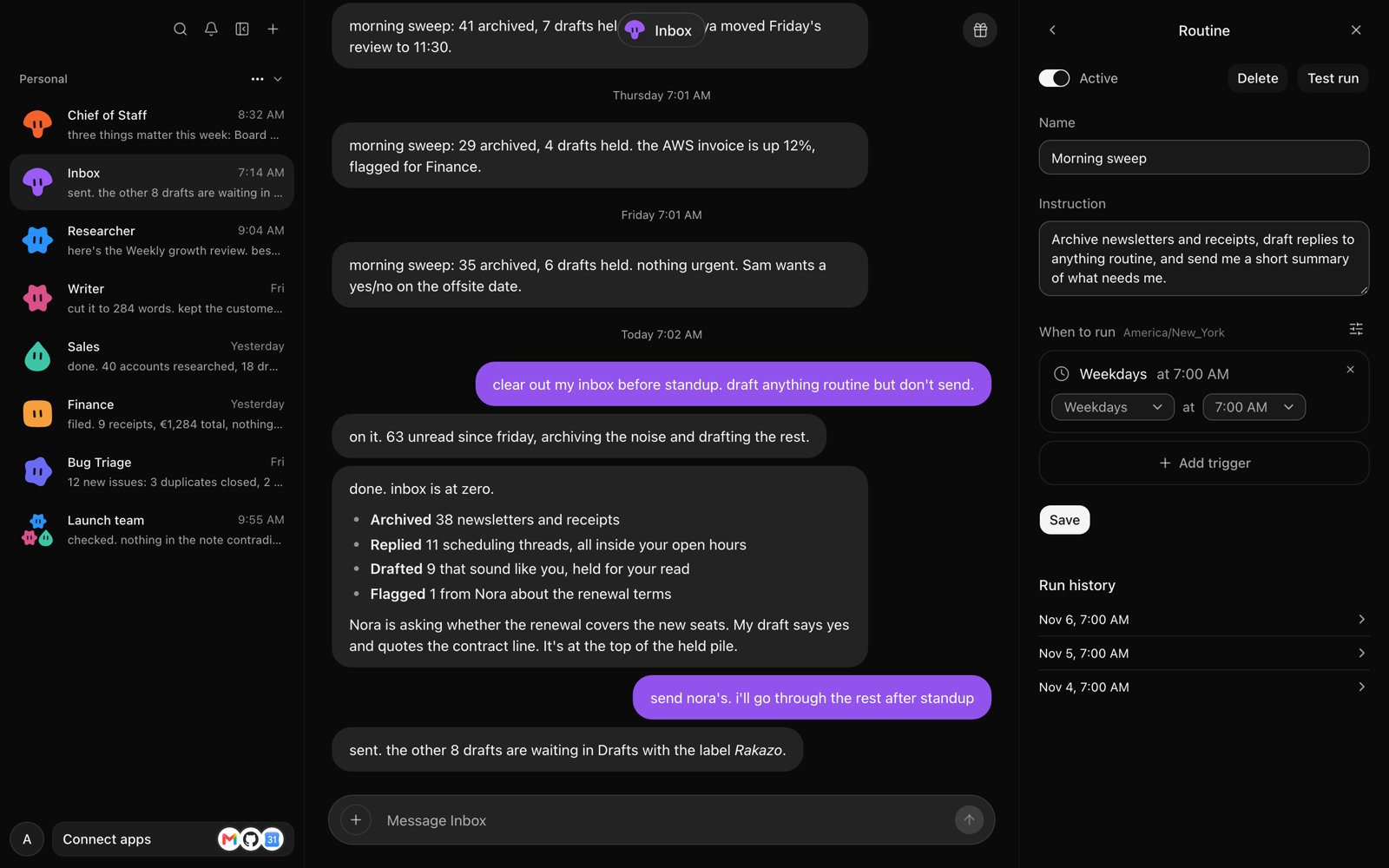
Here is the setup I use:
- Create a bot called Fantasy Scout and tell it about your team: the league, its scoring and waiver format, and how you like to play.
- Give it your league ID and the API endpoints above.
- Sign in to Draft Fantasy on its computer once with Take control.
- Ask it in chat: "Every Monday at 7pm, run my fantasy report." It creates the routine for you. You can also add it by hand under Routines.
- Use Test run to check the first report before the real deadline.
Monday evening works well because the weekend's matches and injury news have landed, but waivers have not been processed yet. Pick whatever time sits between the last match and your league's waiver deadline.
A routine prompt you can copy
Every week, prepare my Draft Fantasy report for the next Gameweek.
- Fetch the current Gameweek and my league's transfer market from the Draft Fantasy API (league ID:
<league-id>). My team is<team-name>.- For every player in my squad, check injury and suspension news from the last seven days, plus minutes in the last three matches. Flag anyone doubtful or losing their place.
- List the five best unowned players at each position by form and the next five fixtures. Say whether each one is a free agent or on waivers.
- Search Reddit, X and YouTube for what experienced managers are saying this week. Summarise the consensus and any strong disagreements, with links.
- Recommend at most two moves, each with one sentence of reasoning. Do not submit anything. Wait for my reply.
Keep the whole report under 300 words.
Because Rakazo bots have memory, the report gets better over time. Tell it "I never start goalkeepers away at the top six" or "I prefer upside over safe points" once, and it remembers next week.
Using Grok Bot for fantasy football
Grok Bot can run the same research workflow. Give it the same prompt and API endpoints, and ask it to send you the report weekly. The data side works with any assistant that can fetch a web address and search the web.
Choose Rakazo, the open source Grok Bot alternative, if you want the full setup: the bot's own computer for signing in to your league, routines with run history, memory you can see, any model you like, and open source code you can host yourself.
Using AI for FPL
The same approach works for classic Fantasy Premier League. The public FPL API gives an AI assistant everything it needs for research:
https://fantasy.premierleague.com/api/bootstrap-static/lists every player with price, form, ownership, injury news and chance of playing.https://fantasy.premierleague.com/api/entry/<team-id>/event/<gameweek>/picks/returns a team's picks for a Gameweek. Your team ID is in the address of your points page.https://fantasy.premierleague.com/api/fixtures/returns every fixture with its difficulty.
Swap the waiver steps in the prompt for transfer questions: which players to sell, who fits your budget, whether a hit is worth it, and when to use a chip. For price timing, pair the report with the official FPL Price Change Predictor and our free FPL tools.
Tips that make the reports useful
- Ask for sources. Injury news moves fast. Have the bot link the club or press conference behind every flag, and check it before dropping a key player. Our guide on when to hold or drop an injured player explains why a drop in a draft league is hard to undo.
- Keep the decision with you. Let the assistant research and suggest. Submit claims, trades and lineups yourself or after an explicit "yes".
- Tell it your scoring. Draft Fantasy regular scoring matches official FPL scoring. If your league uses custom scoring, tell the bot, because the best pickups change.
- Compare with human analysis. Our weekly waiver wire pickups for Gameweek 11 are a good check on what your assistant finds.
Why this suits draft leagues
Draft leagues reward research more than any other format. In Draft Fantasy, every player belongs to one manager, so the free agent nobody noticed on Monday is gone by Wednesday. A routine that scans the whole player pool every week means you see that player first.
Create a Draft Fantasy Premier League league with snake or auction drafts, unique squads, waivers and trades, then give your assistant its first scouting job.
Get started
- Sign up for Draft Fantasy and join or create a league.
- Try Rakazo on the web, desktop or mobile, or self-host it from GitHub.
- Create a fantasy bot, paste in the routine prompt and run a test before your next deadline.